
It’s your third resignation this quarter, and every exit interview says the same thing: “I didn’t see it coming” came from you, not them. Your HRIS shows headcount and tenure. It tells you nothing about who is quietly checking out, and closing that blind spot is exactly the job employee retention software is built for.
Employee retention software fills that gap. It collects signals such as survey scores, manager check-ins and engagement drops, then flags who needs attention before they hand in notice. Here’s how to choose one and use it without turning people into dashboards.
What employee retention software actually does
The category is loose. Most tools do one of three jobs: pulse surveys, performance and feedback tracking, or turnover-risk analytics built on HRIS data.
Picture a team lead, Dana, who runs a 12-person support team. Two people stop speaking up in meetings. Nobody mentions it. A pulse survey would show their “I see a future here” scores falling three weeks running. Dana gets a nudge and has a conversation before the resignation letter.
That’s the real value: earlier timing. The software does not fix the cause. If pay is below market or a manager is the problem, no dashboard changes that. Treat the tool as a smoke alarm, not a fire crew.
The features worth paying for
You walk into a demo and see forty features. Ignore most of them. Four matter.
- Pulse surveys with short, repeatable questions. Five questions beat thirty. Anything longer gets skipped.
- Manager-level reporting. Company averages hide the one team that’s bleeding people.
- Action tracking. The tool should record what you did after a low score, not just the score.
- Anonymity thresholds. Results should hide any group under five responses. Otherwise people stop answering honestly.
Skip predictive “flight risk” scores unless you have a few hundred employees. On a small team, the model has too little data and just guesses. A guess about a named person can also do real harm if it leaks or if a manager treats it as fact.
Comparing the main employee retention software options
Prices below come from each vendor’s public pricing page and change often. Confirm them before you budget. Most quote in US dollars per employee per month.
| Tool | Published pricing | Best for | Fits badly |
|---|---|---|---|
| Culture Amp | Quote-based; no public per-employee rate | Mid-size firms wanting survey benchmarks | Teams under 50; sales cycle is slow |
| Lattice | Engagement add-on is quote-based; core plans list per-seat rates | Companies already running reviews and goals | Anyone who only needs surveys |
| 15Five | Tiered per-user plans listed publicly | Manager check-in culture | Hourly, shift-based staff without desk access |
| Officevibe | Per-user monthly rate listed publicly | Small teams wanting simple pulses | Large firms needing deep analytics |
| Peakon (Workday Peakon Employee Voice) | Quote-based, bundled with Workday | Enterprises already on Workday | Small firms; heavy setup |
The pattern is clear. Survey-first tools suit small teams. Suite tools suit companies that already run performance management in the same place. Quote-based vendors rarely quote below a minimum contract size, so ask early.
Reading the data without over-reading it
A score is a prompt for a conversation, not a verdict. Say your engagement number drops four points. That could be a bad week, a reorg, or a payroll error nobody told you about.
Look at trend lines across at least three survey rounds before acting. Compare teams to each other, not to a vendor’s industry benchmark. If you do cite a benchmark, check who it covers. A figure from a US technology sample says little about a UK care provider.
Then close the loop. Here is wording you can send to a team within a week of a weak result:
“Thanks for completing the pulse survey. Two themes stood out: unclear workload priorities and slow feedback on projects. We’re changing two things: a weekly 15-minute priorities check-in starting Monday, and a 48-hour target for project feedback. We’ll rerun the same five questions in six weeks.”
If people see nothing change, response rates fall within two cycles. That ends the whole programme.
Privacy and legal points to settle first
You’re collecting opinions about managers and, sometimes, signals about health or morale. That carries obligations. Rules differ by state and country. In the EU and UK, employee data falls under GDPR and may require a data protection impact assessment. Some US states have their own employee-monitoring or notice laws. Works councils in parts of Europe must often be consulted before you roll anything out.
Before you sign, ask the vendor where data is stored, who can see individual responses, and how long it is kept. Put the answers in writing. Then confirm the plan with employment counsel in your jurisdiction. This article is not legal advice, and no vendor’s compliance page replaces that check.
If you want the human side of this work, practical retention strategies that change behavior cover what to do once the data points somewhere.
A 30-day rollout you can copy
Tools fail at launch more often than at purchase. Use this sequence.
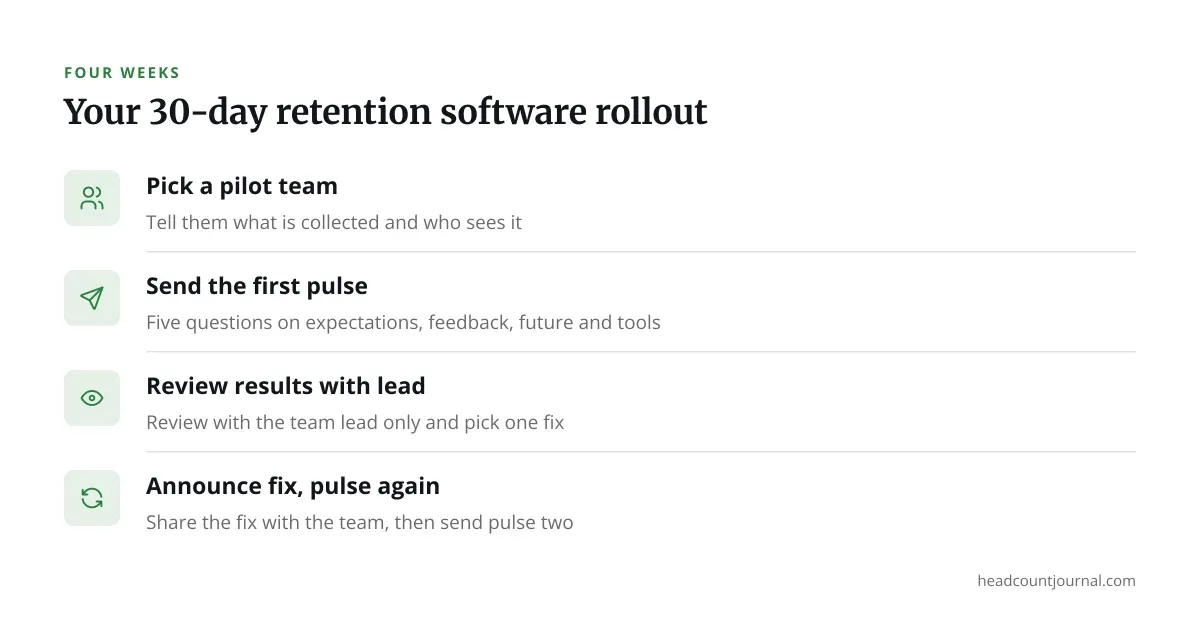
- Week 1: Pick one team as a pilot. Tell them what is collected, who sees it, and what you will not do with it.
- Week 2: Send the first five-question pulse. Suggested questions: “I know what’s expected of me this week,” “My manager gives useful feedback,” “I can see a future here,” “I have the tools to do my job,” and “I’d recommend this team to a friend.”
- Week 3: Review results with the team lead only. Pick one fix.
- Week 4: Announce the fix to the team, then send the second pulse.
Resist the urge to launch company-wide. A pilot shows you whether managers act on the data. If they don’t, you have a coaching problem, and more software won’t solve it.
Choosing and living with the decision
Retention software earns its place when you already have the discipline to act on what it shows. Without that, it becomes an expensive way to record that people are unhappy.
Start small, pilot one team, and judge the tool by what changed afterward, not by how polished the dashboard looks. If you’re still working out the people side, how to improve employee retention is a good companion read.
Revisit your choice after a year. Check whether response rates held, whether managers used the reports, and whether regretted turnover moved. If none of those did, switch tools or switch tactics.
Frequently asked questions
How much does employee retention software cost?
It varies widely. Simple survey tools list per-user monthly rates on their websites. Enterprise platforms usually quote a custom price with minimum contract sizes. Always confirm current pricing directly with the vendor, since plans change.
Can small businesses use employee retention software?
Yes, but pick a survey-first tool and skip analytics. Under about 50 people, a monthly five-question pulse and a regular one-to-one often do the same job at lower cost.
Is it legal to track employee sentiment?
Often yes, but rules differ by state and country, and some regions require notice, consultation or a data protection assessment. Confirm your plan with employment counsel before launch.
Does retention software predict who will quit?
Some tools offer turnover-risk scores, but they need a large dataset to be reliable. Treat any score as a prompt for a conversation, never as a reason to treat someone differently.
How often should we send pulse surveys?
Every two to four weeks works for most teams. Weekly surveys tire people out, and quarterly ones are too slow to catch problems early.