
Free payroll software exists. What most people mean when they ask for it, though, is a system that also files taxes, handles direct deposit, and survives an audit. Those two things rarely sit in the same product.
That gap matters more than most buying guides admit. Below is where genuinely free tools work, where they break, and which paid plans are cheap enough to count as the better “free” option once you add up the hours you’d otherwise lose to manual tax filing.
Why “free” payroll rarely means what you think
Free payroll tools fall into two camps. One camp is genuinely free forever, usually because it only calculates pay and leaves tax filing, direct deposit, and compliance to you. The other camp is a free trial dressed up as a permanent plan.
Payroll4Free is the clearest example of the first camp. It calculates gross-to-net pay, tracks PTO, and generates pay stubs at no cost for companies under 25 employees. But it doesn’t file federal or state payroll taxes for you unless you pay for that add-on, and it runs ads inside the dashboard to cover its costs.
Compare that to Gusto, which has no permanent free tier but starts at $49 a month plus $6 per employee for its Simple plan, per Gusto’s own pricing page. That plan files your taxes automatically. If you have five employees, that’s roughly $79 a month, far less than the hours a founder burns manually calculating withholding and filing quarterly 941s.
The real question isn’t “is it free,” it’s “what does the free version make me do by hand, and is that trade worth it at your headcount.”
The quick-picks list for small business payroll
Here are five tools worth checking first, based on what each one actually includes at no cost or near-zero cost.
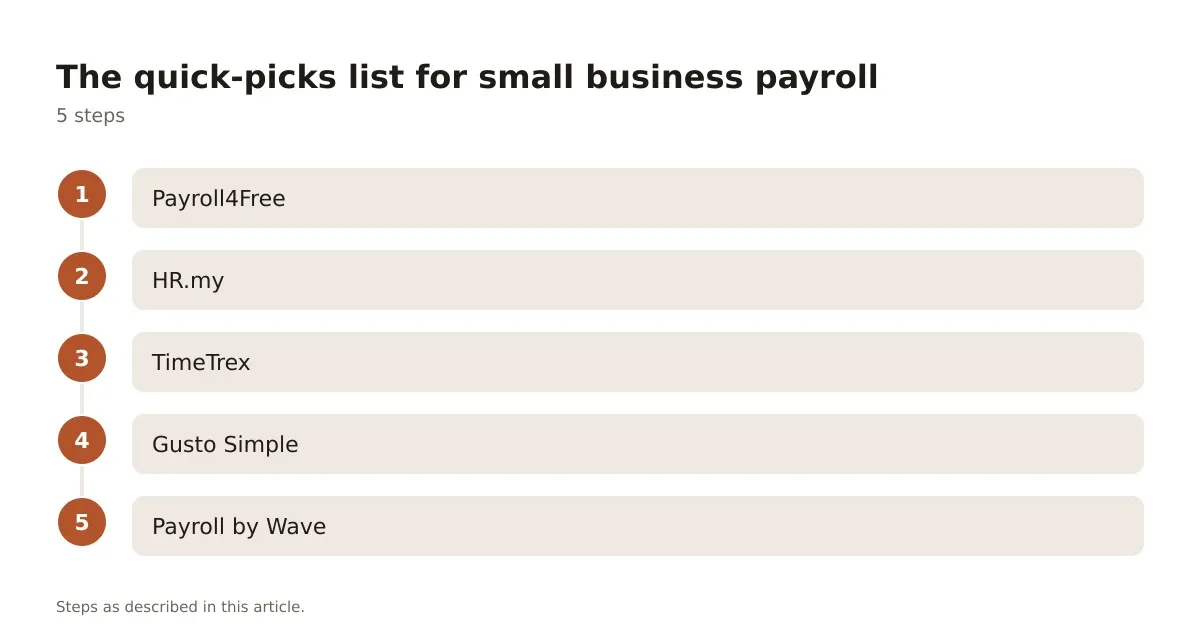
- Payroll4Free – truly free core payroll for under 25 employees, tax filing costs extra
- HR.my – free payroll and HR records for unlimited employees, no tax filing anywhere
- TimeTrex – free open-source community edition with payroll, time tracking, and scheduling
- Gusto Simple – not free, but a relatively low monthly base price makes it one of the cheapest full-service options
- Payroll by Wave – low-cost, not free, but transparent per-employee pricing with no contract
Each one fits a different stage of the business. A two-person shop with no tax complexity can live on HR.my for years. A ten-person team that just hired its first out-of-state remote worker probably can’t.
Payroll4Free: the closest thing to genuinely free
Payroll4Free deserves its own look because it’s the tool people actually mean when they search this phrase. It runs full payroll calculations, supports multiple pay schedules, and produces W-2s and 1099s at year-end.
The catch is structural, not hidden. Companies with 10 or fewer employees get the ad-supported free version. Above that, or if you want ads removed, you pay a monthly fee that Payroll4Free’s pricing page lists directly rather than through a sales call.
Tax filing is the real fork in the road. The base free plan calculates what you owe but leaves you to file it. You can add their tax-filing service for an extra monthly cost, which is really where this stops being a free product and starts being a budget one. For a founder running payroll solo with no bookkeeper, skipping that add-on is how people end up with penalty notices from their state revenue department for late deposits.
If your team is small, your pay schedule is simple, and you’re comfortable filing 941s and state withholding yourself (or your accountant already does it), this is a legitimate zero-cost option. If any of that isn’t true, budget for the add-on from day one.
HR.my and TimeTrex: free but DIY on compliance
HR.my takes a different approach. It’s free with no employee cap, covers payroll calculations, leave tracking, and basic HR records, and it’s used widely outside the US, particularly in Southeast Asia, where it originated.
That global-first design is both its strength and its limit. HR.my doesn’t file US payroll taxes, doesn’t integrate with US direct deposit networks the way domestic tools do, and its support documentation leans toward international wage rules rather than IRS forms. A US-based retailer using it for payroll math still needs a separate process, or an accountant, for actual tax remittance.
TimeTrex runs on a similar model but adds scheduling and time-clock features into its free community edition. It’s open-source, which means you can self-host it if you have the technical staff to maintain a server, or use their hosted free tier with fewer features.
The honest take: both tools are excellent for calculating what people are owed. Neither one replaces the tax-filing infrastructure that paid platforms like Gusto or OnPay build into their base price. If you pick either one, plan on either software hiring an accountant for quarterly filings or using a separate tax-filing service, because the free tool won’t do it for you.
When paid payroll is cheaper than free payroll
This is the part most comparison articles skip. Once you count the hours spent on manual tax calculations, filing deadlines, and correcting errors, “free” software can cost more than a modestly priced monthly plan.
Picture a five-person retail business using a free calculator tool. The owner manually tracks federal withholding, Social Security, Medicare, and state unemployment insurance every pay period, then separately logs into the IRS EFTPS system to make deposits. One missed deposit, even by a few days, can trigger a penalty under IRS deposit-timing rules for underpaid payroll tax, though exact penalty tiers depend on how late the deposit is and should be confirmed with a tax professional or the IRS directly, since these figures change and vary by circumstance.
That same five-person business on Gusto’s Simple plan, at roughly $79 a month total, gets automatic tax filing, automatic deposits, and year-end W-2 generation built in. The math isn’t close once you value the owner’s time at even a modest hourly rate.
The break-even point tends to show up around 3 to 5 employees for most retail, restaurant, and small office businesses, though companies with unusually simple pay structures, think one owner-operator paying themselves a flat salary, can stay on free tools indefinitely.
Side-by-side: free and near-free payroll tools compared
| Tool | Monthly Cost | Tax Filing Included | Best Fit | Poor Fit For |
|---|---|---|---|---|
| Payroll4Free | $0 (ads) under 25 employees | No, paid add-on | Solo founders, under 10 staff | Multi-state employers |
| HR.my | $0, unlimited employees | No | Global or informal teams | US tax compliance needs |
| TimeTrex | $0 community edition | No | Teams with IT support to self-host | Non-technical founders |
| Gusto Simple | $49 + $6/employee | Yes | 3-15 employees wanting full service | Budget under $50/month |
| Payroll by Wave | Per-employee, no base fee listed publicly | Varies by state | Freelancer-heavy small shops | States without Wave’s full tax service |
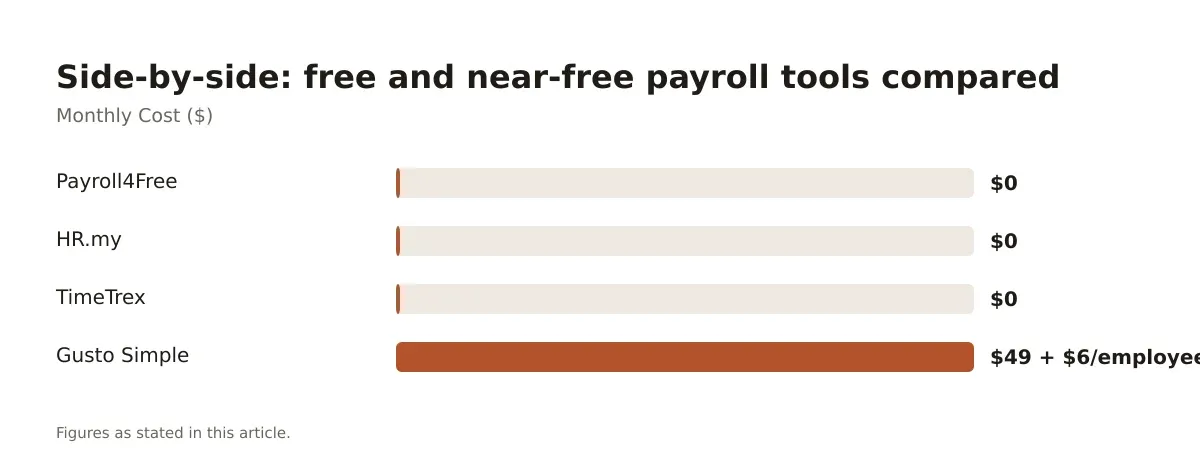
The pattern across this table is consistent. Every tool with automatic tax filing charges something. Every tool that’s genuinely free pushes tax compliance back onto you. There’s no version that gives you both for nothing, and any product claiming otherwise is usually a trial.
What to check before you commit to any free plan
Before you migrate payroll onto a free tool, run through a short list of questions that free trials and marketing pages tend not to answer directly.
- Does it file federal and state payroll taxes, or only calculate what’s owed?
- What’s the employee cap before the free tier stops applying?
- Does it support direct deposit, or only printable checks?
- Can it handle multi-state employees if you have remote staff?
- What happens to your pay history and tax forms if you cancel?
That last question matters more than people expect. Several free tools lock historical pay stubs and tax documents behind their platform, which becomes a real problem during an audit or when an employee needs a prior W-2 and you’ve already switched providers. Export your data regularly, regardless of which platform you choose.
If you’re weighing payroll against the rest of your HR stack, it’s worth looking at how payroll choice fits into broader HR software decisions for small teams, since payroll rarely sits in isolation from time tracking, benefits, and onboarding paperwork once you cross a handful of employees.
Picking the right free or near-free payroll setup
Free payroll software for small business works best as a starting point, not a permanent fixture, once you have employees beyond yourself. Under five people with simple, single-state pay, tools like Payroll4Free or HR.my can genuinely cost nothing and do the job. Past that point, the manual tax-filing burden usually costs more in time than a modestly priced monthly plan costs in cash.
The smartest approach is to treat free tools as a bridge. Use them while you’re validating the business, then move to a paid platform with built-in tax filing the moment you add your second or third employee, or the moment you hire across state lines. For a longer view on which paid platforms are worth that jump, the comparison of small business HR software options breaks down pricing and fit in more detail.
Whatever you choose, confirm current tax rules and filing deadlines with your state revenue department or a payroll-qualified accountant before relying on any software’s calculations. Rules change, and so does pricing.
Frequently asked questions
Is there truly free payroll software with tax filing included?
Not reliably. Most free tools, including Payroll4Free and HR.my, calculate gross-to-net pay but leave federal and state tax filing to you or charge extra for it. If automatic tax filing matters to you, budget for a paid plan like Gusto’s Simple tier instead.
How many employees can I run on free payroll software?
It depends on the tool. Payroll4Free’s free tier covers up to 25 employees before fees apply, while HR.my has no stated cap. Check each provider’s current terms directly, since limits change without much notice.
Will free payroll software handle direct deposit?
Some do, some don’t. Payroll4Free supports direct deposit on its free plan, but several open-source or community-edition tools only generate printable checks unless you add a paid banking integration. Confirm this before switching your whole team over.
What happens to payroll records if I cancel a free tool?
Many platforms restrict access to historical pay stubs and tax forms once you downgrade or cancel. Export your payroll history and year-end tax documents regularly, and don’t wait until cancellation day to do it.
Should a growing business stay on free payroll software long-term?
Usually not past three to five employees, especially once you hire across state lines or need automatic tax filing. At that point, the time saved by a paid platform like Gusto or OnPay typically outweighs its monthly fee, though you should confirm this math against your own numbers and consult an accountant on filing obligations.