
You open the budget spreadsheet and find three versions of headcount. Finance has one, recruiting has another, and your own tracker disagrees with both. That mismatch is what workforce planning software exists to fix.
This guide covers what these tools do, how to compare them, and where each one fits badly. I have not quoted per-employee prices below because I cannot verify current figures. Most vendors sell on quotes, so ask each one for a written price.
What Workforce Planning Software Actually Does
Think of it as a shared model of your people, linked to your budget. Specifically, it pulls headcount from your HRIS and costs from finance. Then it lets you test “what if” plans without breaking the live data.
Most tools cover four jobs:
- Headcount and position tracking against approved budget
- Scenario modelling for hiring freezes, growth, or restructures
- Skills and capacity views by team
- Attrition and hiring-demand forecasts
A spreadsheet can do a rough version of all four. The pain starts when three people edit it at once. Ultimately, version drift is the real cost, not the missing features.
Picture a Tuesday planning meeting. Finance says engineering has 42 approved roles. Your tracker shows 45 filled. Someone has to explain the gap in front of the CFO. Software gives you one source to point to.
Signs You Have Outgrown Your Spreadsheet
Most teams switch too early or too late. Early buyers pay for features they never open. Late buyers lose a quarter to reconciliation.
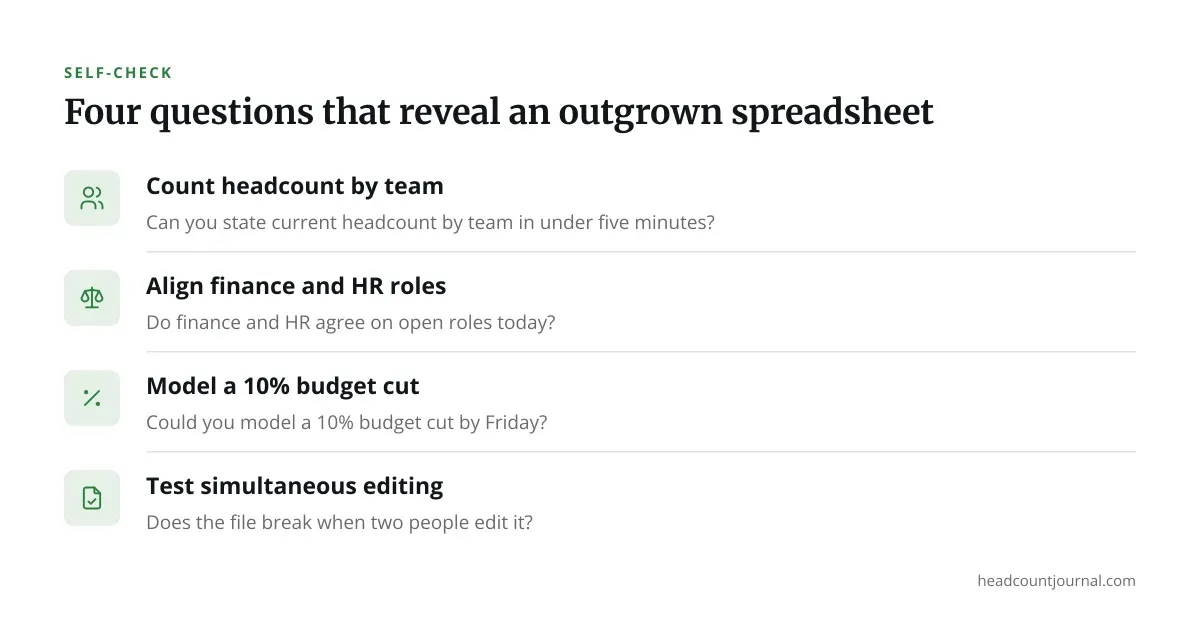
Run this quick test. Ask each question and note your honest answer:
- Can you state current headcount by team in under five minutes?
- Do finance and HR agree on open roles today?
- Could you model a 10% budget cut by Friday?
- Does the file break when two people edit it?
Two or more “no” answers suggest you are paying a hidden tax. Under about 50 employees, a well-built sheet often still wins. Past a few hundred, the manual work usually costs more than a license.
Core Workforce Planning Software Features Worth Paying For
Vendors list dozens of features. Only a handful change your week.
Scenario modelling matters most. You want to duplicate the plan, change hiring dates, and see cost and capacity shift together. If the demo cannot do this live, walk away.
Live integrations come second. The tool should read from your HRIS and payroll without CSV uploads. Ask which systems it connects to natively and which need a custom build.
Notably, skills mapping is the feature most often oversold. It only works if your skills data is already clean. Many teams buy it, then discover nobody has updated profiles in two years.
Finally, reporting is the last check. Can a finance partner open a report without asking you for help? If not, you become the bottleneck again.
Comparing the Main Options
Generally, the market splits into two camps. Ultimately, your size and your existing stack decide which fits.
Option A: Platform-Native Planning Modules
Workday Adaptive Planning, SAP SuccessFactors, and Oracle offer planning as part of a larger suite. Data already lives there, so setup is faster and there is less syncing to maintain.
However, these fit badly for smaller teams. In addition, pricing is quote-based, contracts are long, and implementation often needs a partner. If you are not already on that suite, you inherit a lot of overhead.
Option B: Dedicated Planning Tools
Tools such as Lattice-adjacent planners, Pave, Planful, and Anaplan-style models focus on planning alone. Moreover, they connect to many HRIS products and usually go live faster.
These fit badly when you want one vendor for everything. You add another system to secure, another login to manage, and another renewal date.
Check each vendor’s current pricing page and ask for a written quote before you compare. Per-employee pricing models vary widely, and some charge a platform fee on top.
A Comparison Table to Copy Into Your Evaluation
Use this as a scoring sheet. Fill it in during demos, not afterward.
| Criteria | Platform-native | Dedicated tool | Spreadsheet |
|---|---|---|---|
| Setup time | Longer | Shorter | Immediate |
| Scenario modelling | Strong | Strong | Manual |
| Pricing model | Quote-based | Quote or tiered | Free |
| Best fit | Large, suite users | Mid-size, mixed stack | Under ~50 staff |
| Fits badly | Small teams | Single-vendor shops | Fast growth |
Score each column from 1 to 5 against your own needs. Weight scenario modelling and integrations double. Ignore any feature your team will not touch in the first six months.
Questions to Ask Every Vendor
Demos are polished. Your questions are what expose gaps. Copy these into your call notes:
- Which HRIS and payroll systems do you integrate with natively?
- Can I build and compare three hiring scenarios live, right now?
- What is the total cost in year one, including implementation?
- Who owns our data if we cancel, and how do we export it?
- How long did your last customer of our size take to go live?
- What does a typical customer stop using after six months?
The last question gets the most honest answers. Ask for two reference customers of similar size, and call them yourself.
If you work in a regulated area, add a data-residency question. Rules on employee data differ by country and by state, so confirm requirements with your counsel before signing.
How to Run a Low-Risk Pilot
Never roll out company-wide first. Pick one department with a messy plan and a friendly manager.

Load three months of real data. Build the current plan, then one growth scenario and one freeze scenario. Ask the department head and a finance partner to review both.
Judge the pilot on two things: did it save time, and did finance trust the numbers? If finance still keeps a side spreadsheet, the tool has not done its job.
For a broader view of how these tools fit into long-range planning, see this practical guide for HR leaders.
For context, hiring and separation rates shift faster than most annual plans assume, as the monthly JOLTS release from the Bureau of Labor Statistics keeps showing. Therefore, workforce planning software earns its keep only when it re-forecasts against fresh attrition data instead of last year’s averages. In addition, our guide to employee retention strategies covers the levers that actually move those numbers.
Making the Final Call on Workforce Planning Software
You do not need the most powerful tool. You need the one your finance partner will actually open. Start with the scoring sheet, run one honest pilot, and let the data decide.
Treat the first year as a test. Check adoption at 90 days. If nobody outside HR uses it, fix that before expanding.
Keep your spreadsheet as a backup until the first full planning cycle closes. It costs nothing, and it gives you a clean way back if the tool disappoints.
Frequently asked questions
How much does workforce planning software cost?
Most vendors quote prices privately, based on employee count and modules. Some charge per employee per month, others a flat platform fee. Ask for a written year-one total that includes implementation and support.
Do small companies need workforce planning software?
Usually not under about 50 employees. A shared, well-structured spreadsheet handles most needs at that size. Consider software when finance and HR keep disagreeing on headcount.
How long does implementation take?
It varies by vendor and by how clean your data is. Dedicated tools often go live in weeks, while suite modules can take months. Ask each vendor for a recent timeline from a customer your size.
Can this software help with compliance?
It can track headcount and roles, which supports reporting. It does not give legal advice. Employment rules differ by state and country, so confirm any compliance question with qualified counsel.
What is the difference between workforce planning and HRIS software?
An HRIS stores current employee records and runs core HR tasks. Workforce planning software looks forward, modelling future headcount, cost, and skills. Most planning tools read data from your HRIS rather than replace it.