
Most small companies run HR on a patchwork of spreadsheets, shared drives and email threads rather than dedicated HR software. The U.S. Bureau of Labor Statistics reports that private-sector employers lost about 3.5 million workers to quits in a typical recent month, and every one of those exits triggers paperwork somebody has to track. So what is HR software, and which parts of it does a small team actually need?
HR software is the group of tools that store employee records, run payroll, handle hiring, and manage time off, reviews and benefits. This guide maps the categories so you can tell what you need from what a vendor wants to sell you.
The Four Jobs HR Software Does
For instance, picture a founder with 18 employees. Her office manager keeps leave balances in a spreadsheet, payroll sits with an accountant, and offer letters live in someone’s Downloads folder. Nothing is broken until a person quits and nobody can say what they were owed.

HR software exists to fix that scatter. Almost every product handles some mix of four jobs.
The first is the system of record: one place for contracts, contact details, job titles and documents. The second is payroll and benefits administration. The third is hiring and onboarding. The fourth is performance, learning and reporting.
However, vendors package these differently. As a result, a tool strong at one job is often thin at another. Knowing the four jobs lets you ask, “Which of these do we actually struggle with?”
HRIS, HCM, HRMS: Sorting the Acronyms
You will meet three labels. In practice, they overlap more than vendors admit.
An HRIS (human resource information system) is the core database plus basics like time off and org charts. An HRMS (human resource management system) usually adds payroll. HCM (human capital management) is the enterprise label, adding talent, learning and workforce planning.
Here is a quick test. Ask a sales rep, “What is included in the base price, and what is an add-on?” The answer tells you more than the acronym on the website.
For a team under 50, you rarely need HCM. A clean HRIS with payroll attached covers most needs. If you want help narrowing options at that size, the guide on HR software for small business goes into what each category fixes.
The Core Modules, One by One
- Employee records: profiles, documents, emergency contacts, role history.
- Time off and attendance: requests, approvals, balances, shift schedules.
- Payroll: pay runs, tax filing, deductions, year-end forms.
- Recruiting (applicant tracking): job posts, candidate pipeline, interview scorecards.
- Onboarding: task lists, e-signature, equipment and account setup.
- Performance: goals, review cycles, feedback requests.
- Benefits: enrollment windows, carrier connections, deduction syncing.
You do not need all seven. Pick the two or three that cost you the most hours today.
What the Main Tool Types Look Like
Real tools sit in different corners of this map. Pricing below is list pricing as vendors publish it, checked against their sites; confirm current figures before you budget.
| Tool | Type | Published pricing | Fits badly |
|---|---|---|---|
| Gusto | Payroll-first with HR add-ons | Plans start around $40/month base plus about $6 per employee | Multi-country teams; US-focused |
| BambooHR | HRIS | Quote-based, no public per-employee rate | Very small teams wanting a flat low price |
| Rippling | HRIS, IT and payroll bundle | Quote-based; starts with a platform fee | Teams wanting one simple module |
| Workday | Enterprise HCM | Quote-based | Anyone under a few hundred staff |
| Zoho People | Budget HRIS | Published per-employee tiers, a few dollars each | Teams needing deep payroll in the US |
Quote-based pricing is common. Ask for a written per-employee figure, including implementation fees, before you compare.
HR Analytics and the Specialist Tools Around the Edge
Some products do one narrow thing well. Analytics software, for example, pulls data from your HRIS and shows turnover, headcount trends and pay gaps. It matters once you have clean data and a question to answer. If that is where you are, the separate piece on HR analytics software covers it properly.
Other specialists include standalone applicant tracking systems, performance platforms like Lattice, and learning management systems.
In short, the trade-off is plain. Specialists go deeper, but each one adds a login, a contract and an integration to maintain. By contrast, suites go wider and shallower. Overall, a 30-person firm does better with one decent suite than four excellent point tools.
Checking Fit Before You Buy
First, run a short test before signing anything. Take one real scenario, such as hiring a part-time employee in a second state, and ask each vendor to walk through it live.
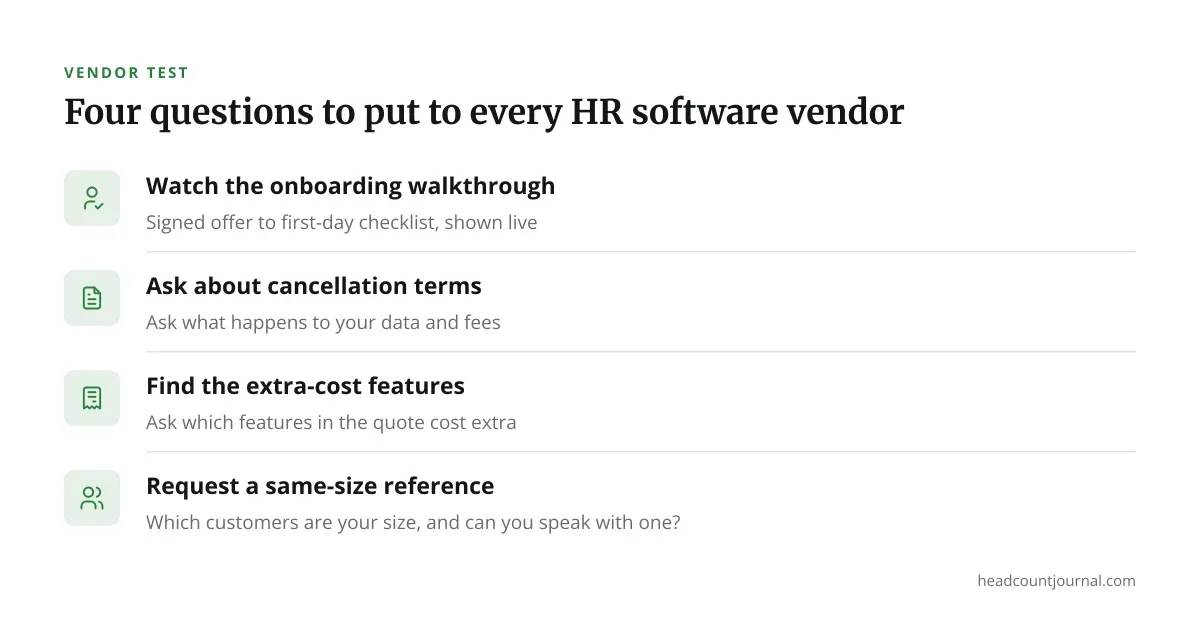
Copy these questions into your demo call:
- “Show me how a new hire gets from signed offer to first-day checklist.”
- “What happens to our data and fees if we cancel?”
- “Which features in this quote cost extra?”
- “Which of your customers are our size, and can I speak with one?”
Employment rules differ by state and by country, covering things like final pay timing, leave accrual and recordkeeping periods. Software can prompt you, but it does not guarantee compliance. Confirm anything high-stakes with employment counsel in your jurisdiction.
Choosing a Starting Point
If you want ranked options with current prices, the roundup on the best HR software in 2026 compares specific products side by side.
HR software is not one product. Instead, it is a set of modules that you assemble to match the problems you already have. Start with the job that eats the most hours, buy for that, and add modules only when a real need appears.
Write down your current process first, even on one page. A vendor demo makes far more sense when you already know which steps you want to remove.
Frequently asked questions
Is HR software the same as payroll software?
No. Payroll software calculates pay, withholds tax and files forms. HR software is broader and covers records, hiring, time off and reviews. Many products bundle both, but you can buy payroll alone.
Do I need HR software with fewer than 10 employees?
Often not. In fact, a shared spreadsheet and a payroll service can work at that size. Software starts to pay off when you hire in multiple locations, run regular onboarding, or lose track of leave balances.
What is the difference between an HRIS and an applicant tracking system?
An HRIS manages people after they are hired. An applicant tracking system manages candidates before that point. Some suites include both, but the two are separate jobs with separate data.
How long does implementation take?
Simple tools can go live in days. Systems with payroll migration usually take several weeks, because historical pay data and tax setups need checking. Ask the vendor for a written timeline and who does the data entry.
Can HR software make me legally compliant?
It can remind you of deadlines and store required documents, but compliance depends on your state or country and your specific facts. Treat the software, and confirm requirements with qualified counsel.